

 Large Format Printing
 Lamination & Mounting
 Brochures & Booklets
 Business Cards & Envelopes
 POP Displays & Stickers
 Meeting Room Rental
 Co-working Space Usage


User Guide
 Products
How to order
STEP1Add ACCEA Shanghai on WeChat
Search for the ACCEA Shanghai official account via WeChat's search function and add as a friend. You can also scan the QR code.

STEP2Send Your Order Details via Message
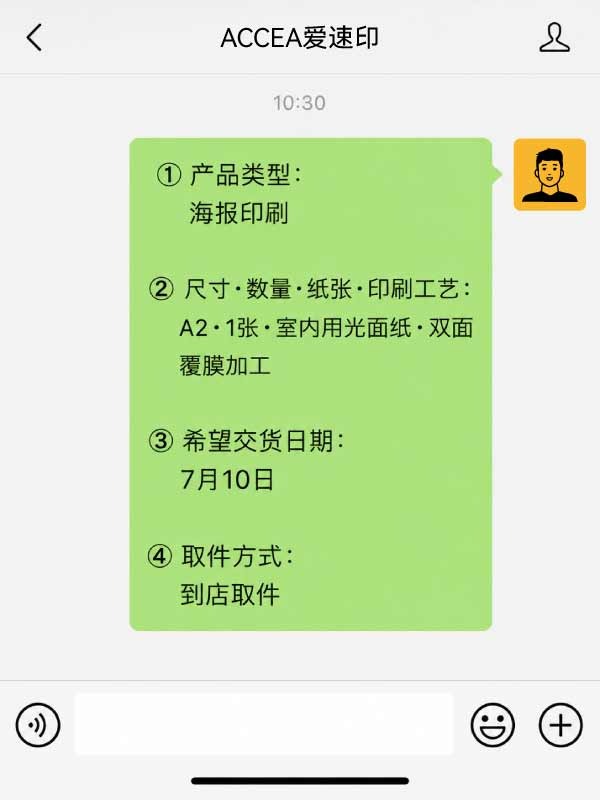
Send your print request from the chat screen. Including the following details will speed up processing.
① Product type (e.g. business cards, flyers, posters)
② Size / Quantity / Paper / Finishing
③ Desired delivery date
④ Pick-up method (in-store pickup or delivery)
※ If you choose delivery, please also provide:
・Delivery address (district / street / building / room number)
・Recipient name
・Phone number
※ Shipping fee will be quoted separately.
STEP3Send Your Print Data
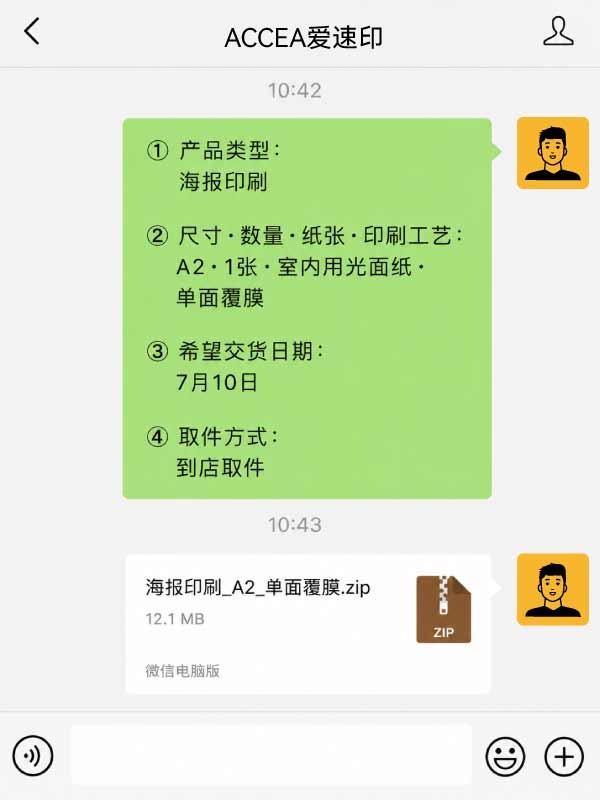
Please send your print-ready files via WeChat's file-sending feature. If you have multiple files or large data, please compress them into a ZIP archive before sending.
If you have a comp image (layout preview), please also include it as a JPG file.
※ Resolution of 300 dpi or higher is recommended. Crop marks and bleed (3mm) are preferred.
※ Please convert fonts to outlines/paths.
※ For large files, please also compress into a ZIP archive before sending.
STEP4Quotation & Data Check
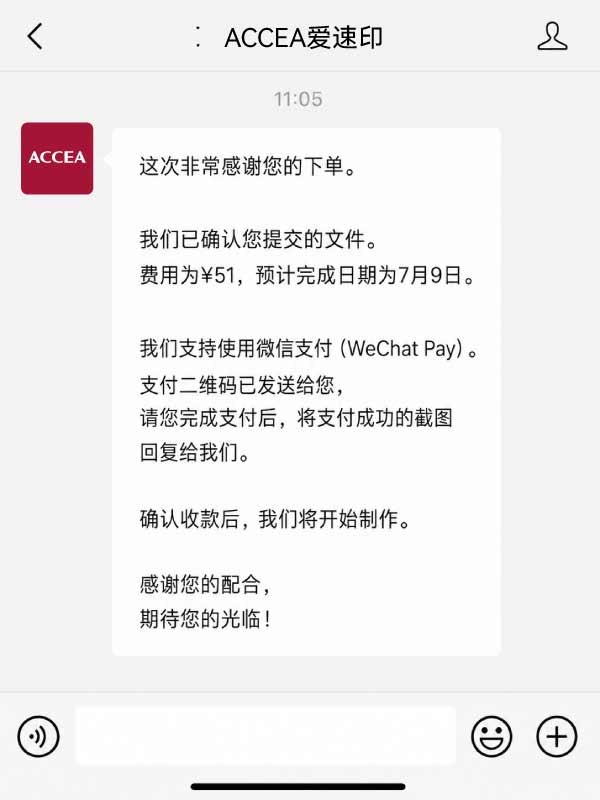
Our staff will review your data and reply via WeChat with a quote and estimated delivery date. Please check and approve the details.
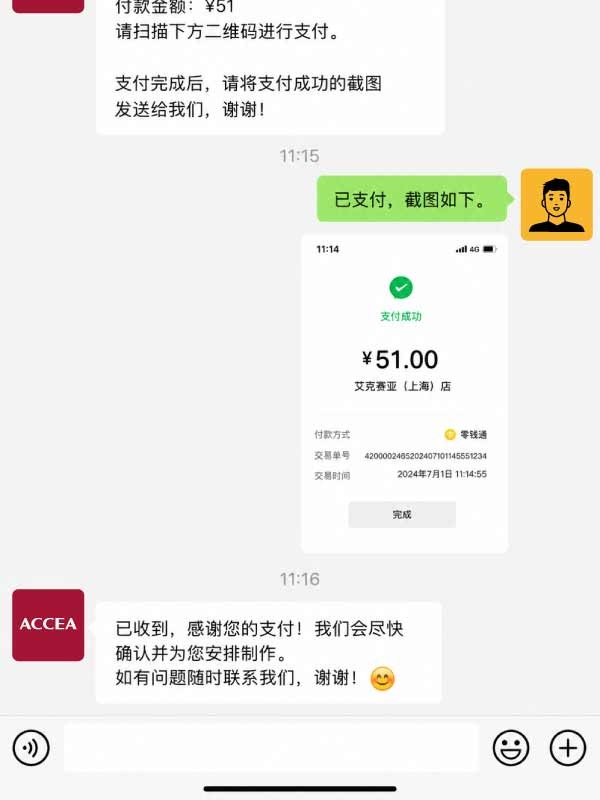
STEP5Payment
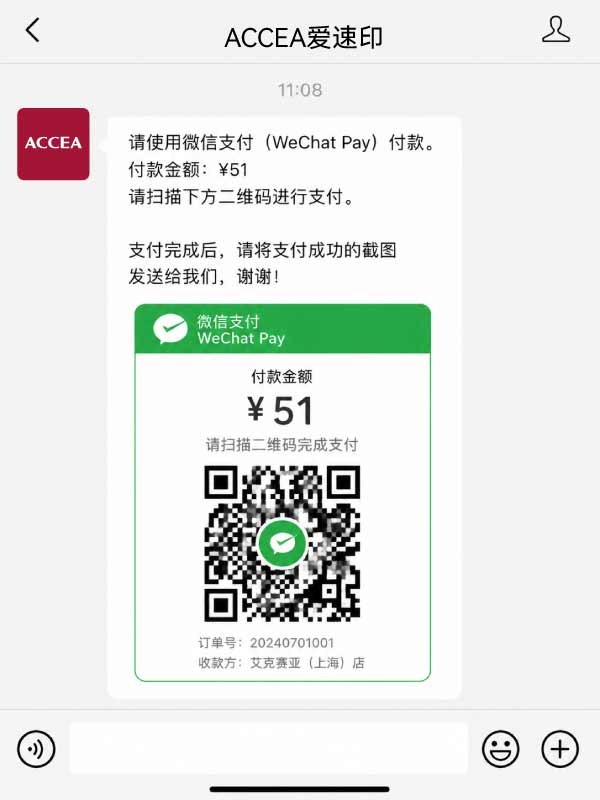
Once you approve the quote, please complete payment via WeChat Pay. Printing will begin after payment is confirmed.
※ If you require a receipt or invoice, please let us know in advance.
STEP6Pickup or Delivery
We will notify you via WeChat when your order is ready. Please collect in-store or await delivery.
 沪公网安备 31010702010533 号